

OBSIDIAN · PLUGIN · TYPESCRIPT
Repo Notebook for Obsidian
An Obsidian plugin that puts your Repo Notebook shelf inside your own vault: every saved GitHub repo becomes a note, related repos become wikilinks, and cloning, installing and running stay one command away.
RESULT
Your whole GitHub collection as linked notes in Obsidian, synced in both directions with the app.


01 THE PROBLEM
Repo Notebook kept my GitHub collection in its own app, but my notes live in Obsidian. Two places means double work: what you know about a repo belongs next to the rest of your knowledge, searchable and linkable, without drifting out of sync.
02 WHAT IT DOES
- Every repo a note
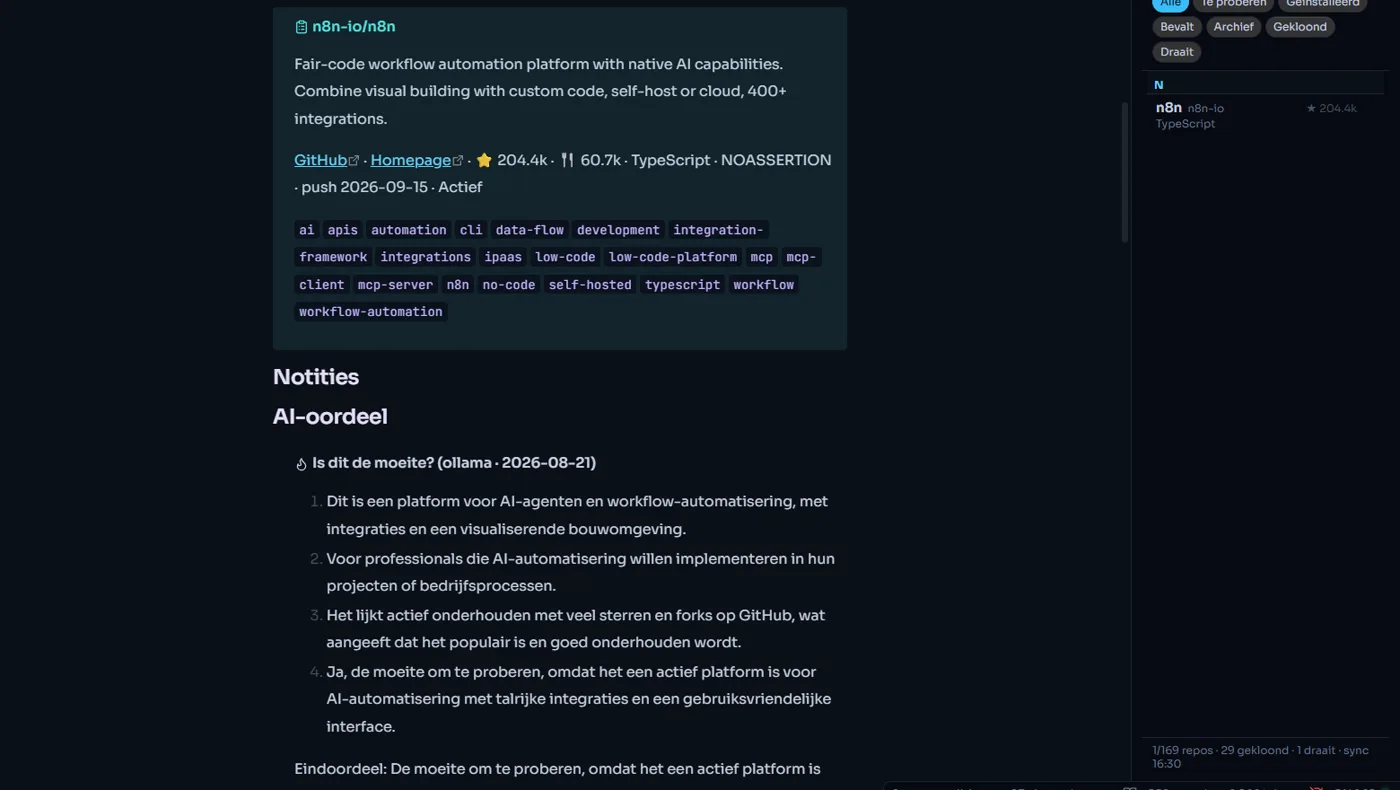
- One Markdown note per repo with frontmatter (stars, language, topics, status, cluster, health), a summary, the AI verdict, the key files and the README. Plus an index note per cluster and status.
- Related repos as wikilinks
- The links from the app's knowledge graph become real [[wikilinks]], with the reason attached. That way Obsidian's graph view shows your complete repo map. Tags like #repo/taal/python give colour groups.
- Two-way sync
- Change your status, category or notes in Obsidian and it shows up in the app a little over a second later, and the other way around. Your own Notes block is never overwritten; a deleted repo is marked, not erased.
- Side panel with actions
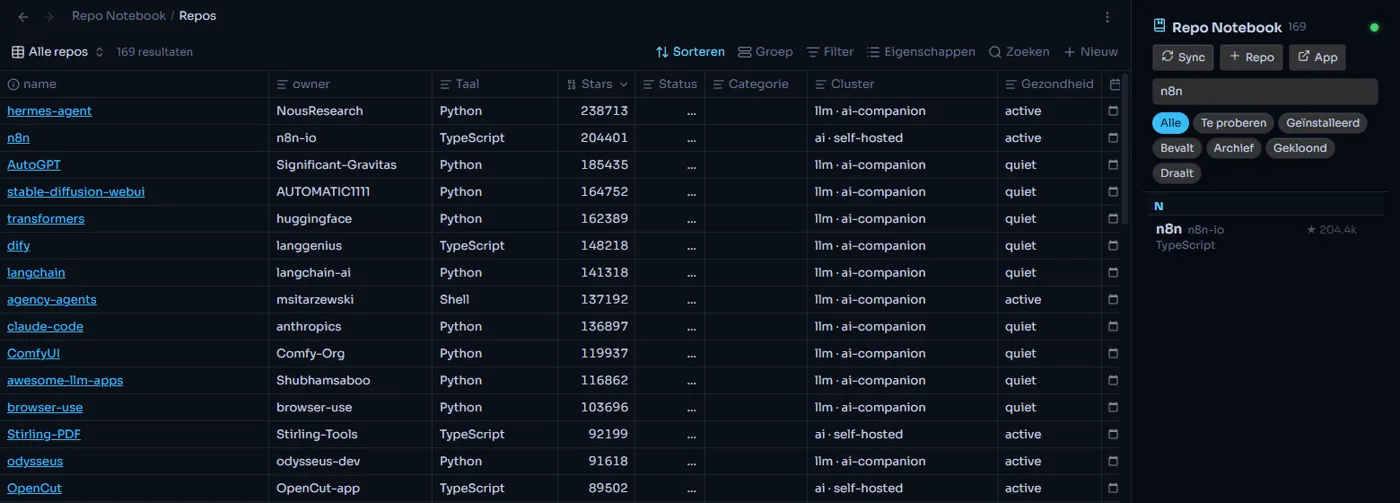
- Search, status filters, an A–Z list and a right-click menu with clone, install, start, stop, log and git pull. If the app is off, reading, syncing and adding repos keep working.
- Bases table
- A ready-made table for Obsidian Bases: all repos, ‘to try’, ‘cloned’ and a view per cluster.
- Install in 3 steps
- Install BRAT from the community plugins, choose ‘Add beta plugin’ and paste TMSHuybrechts/obsidian-repo-notebook. BRAT then keeps the plugin up to date by itself.
03 WHAT I LEARNED
The hardest question wasn't technical but: what belongs to whom? Once it was settled which part of a note the app manages and which part is yours, two-way sync became reliable. The core logic runs without Obsidian and is tested against a small fake version of the Obsidian API; a sync of 122 repos takes about 0.3 seconds.
INTERESTED?
Let's talk.
Tell me what you think — or what you'd want to do with it.